What It DoesFor Teams & CoachesHow It WorksThe ScienceOur StoryMembershipsFAQRequest Access →
The Power app

Muscle activation tracking with Power

See what your muscles are doing while you move. Power combines your Muscle Puck's EMG and motion data with camera-based pose tracking to give you a new view of your workout.

How to use Power

1. Choose your exercise and sensor placement

Open Power and choose the exercise you're about to perform - such as Squat, Push-up or Pull-up. Power automatically shows sensor placements relevant to that exercise, right on the same screen - for example, Push-up suggests Triceps or Deltoids. If the muscle you want isn't listed, choose Other. Then select the Puck you're wearing.
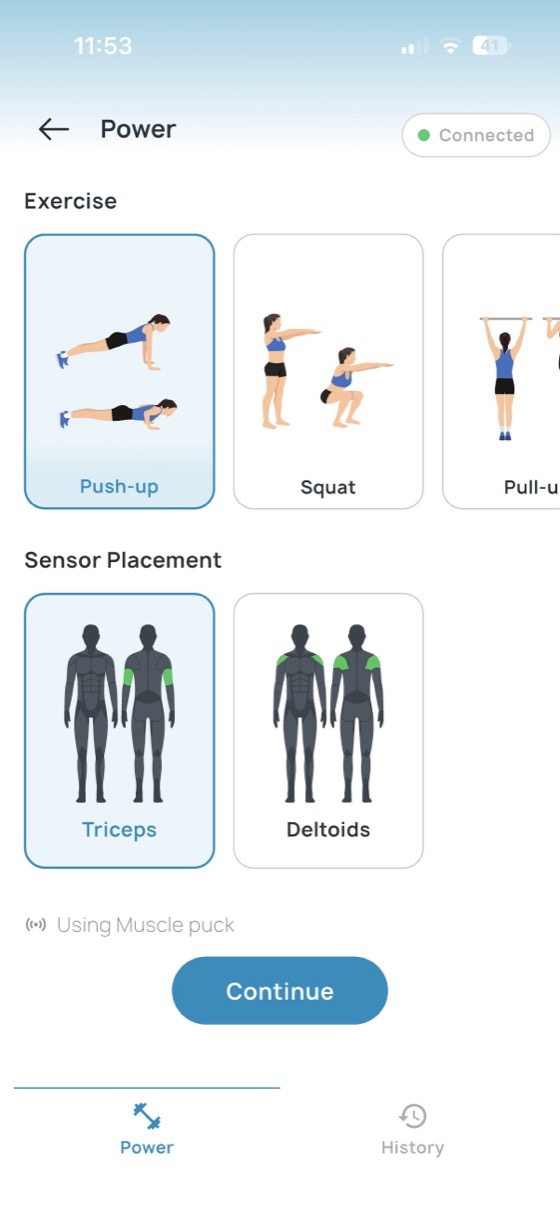
Power app: choosing an exercise and sensor placement on the same screen

2. Position yourself in the camera

Set up your phone so the camera can see your body and movement. Start your session and begin exercising.
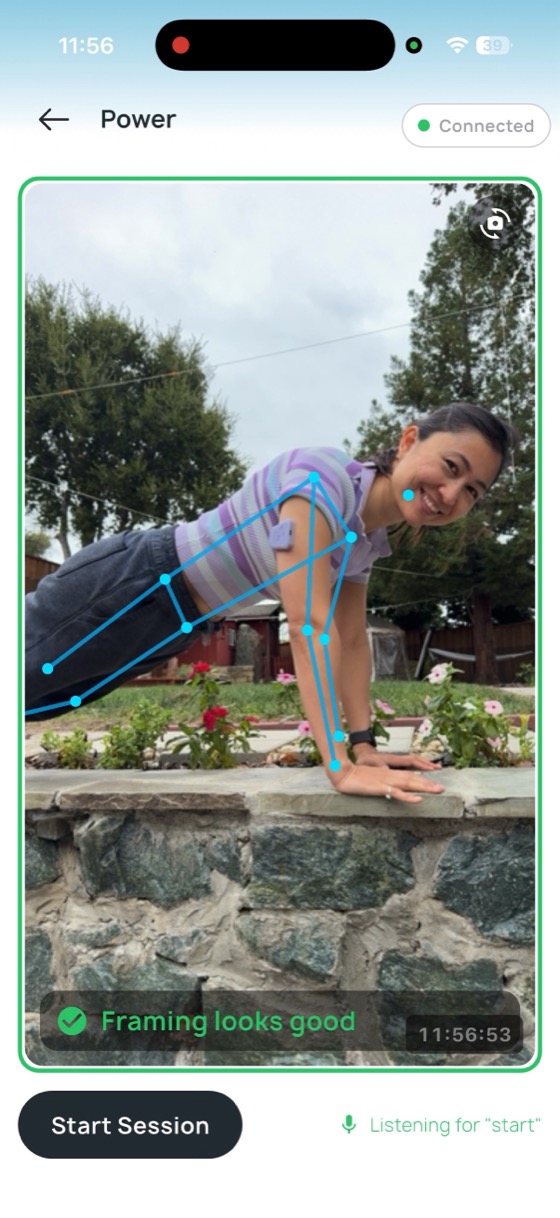
Power app: positioning yourself in the camera frame before starting a session

3. Watch your muscle work

As you exercise, Power tracks your movement visually and measures the electrical activity of the muscle under your Puck. When your muscle activates, you'll see it glow in real time on your body in the camera view. Power also tracks your reps and records your EMG and movement data throughout the session.
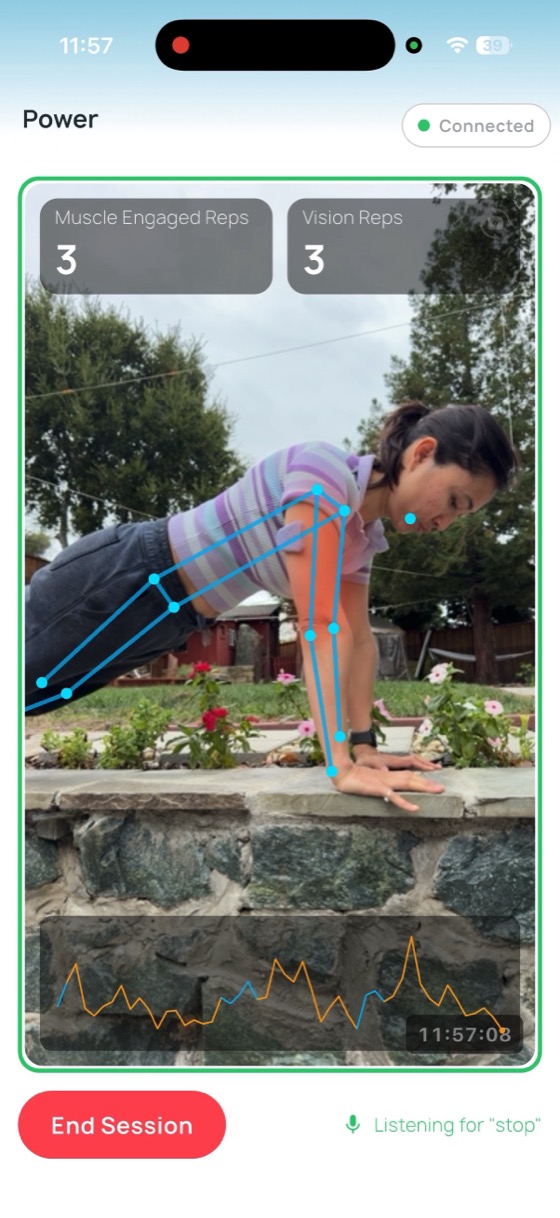
Power app: live session showing muscle activation, rep counts and EMG trace
Try it: Put your Puck on your bicep and do a few slow curls. Watch your bicep light up as you contract it.
After your session

See what happened after your workout

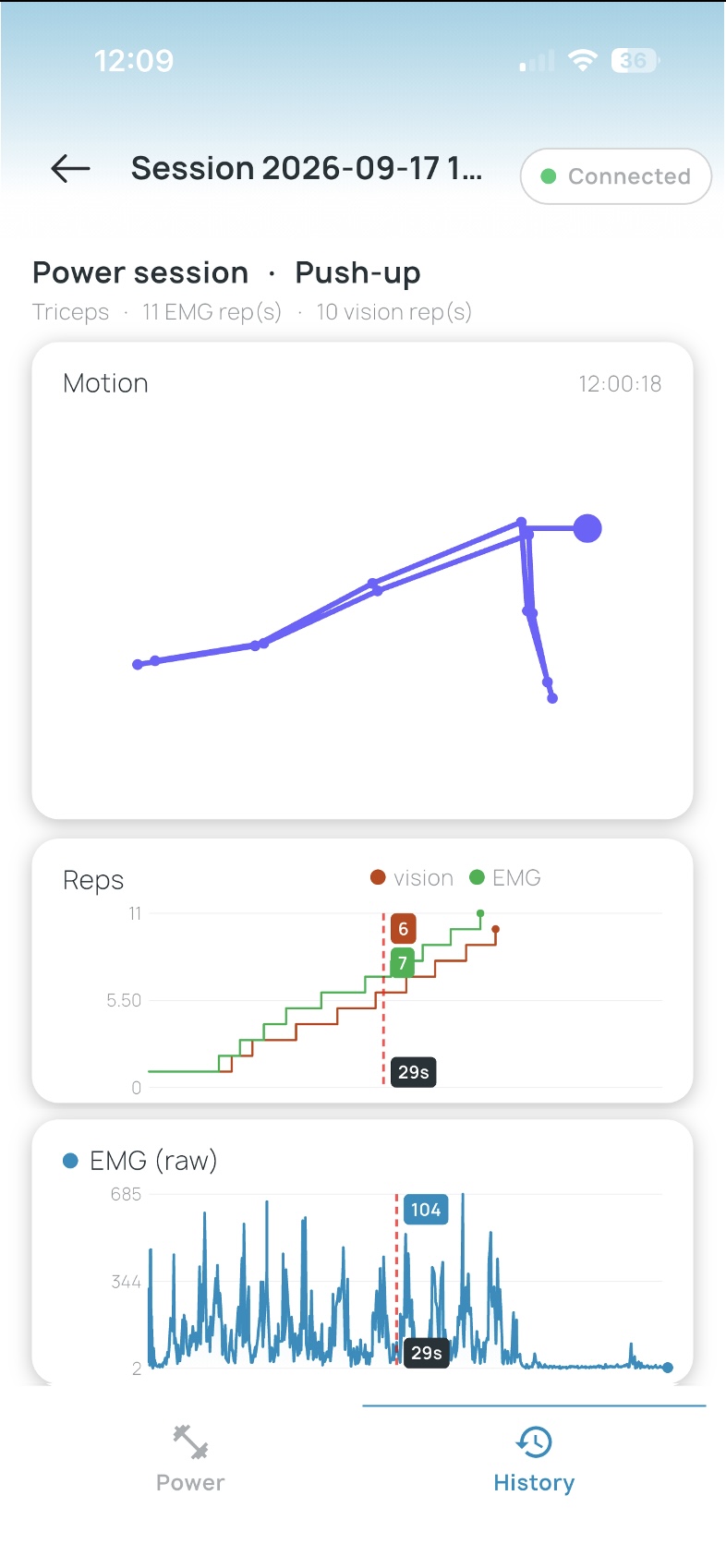
When your session ends, Power lets you explore the workout you just performed. Scrub backward and forward through your session to see:

This lets you explore something you normally can't see: what your muscle was doing inside each movement.

Power workout review: motion path, rep comparison, and raw EMG trace for a push-up session

Want better posture through your day? Try the Posture app →

FAQ

Power questions

Yes. Choose Open as your exercise to access the full list of sensor placements. If your muscle isn't listed, select Other. This makes Power useful for exploring muscle activity during many different movements and activities.

Don't have a Muscle Puck yet?

Request access →

Already have one? Set it up →